

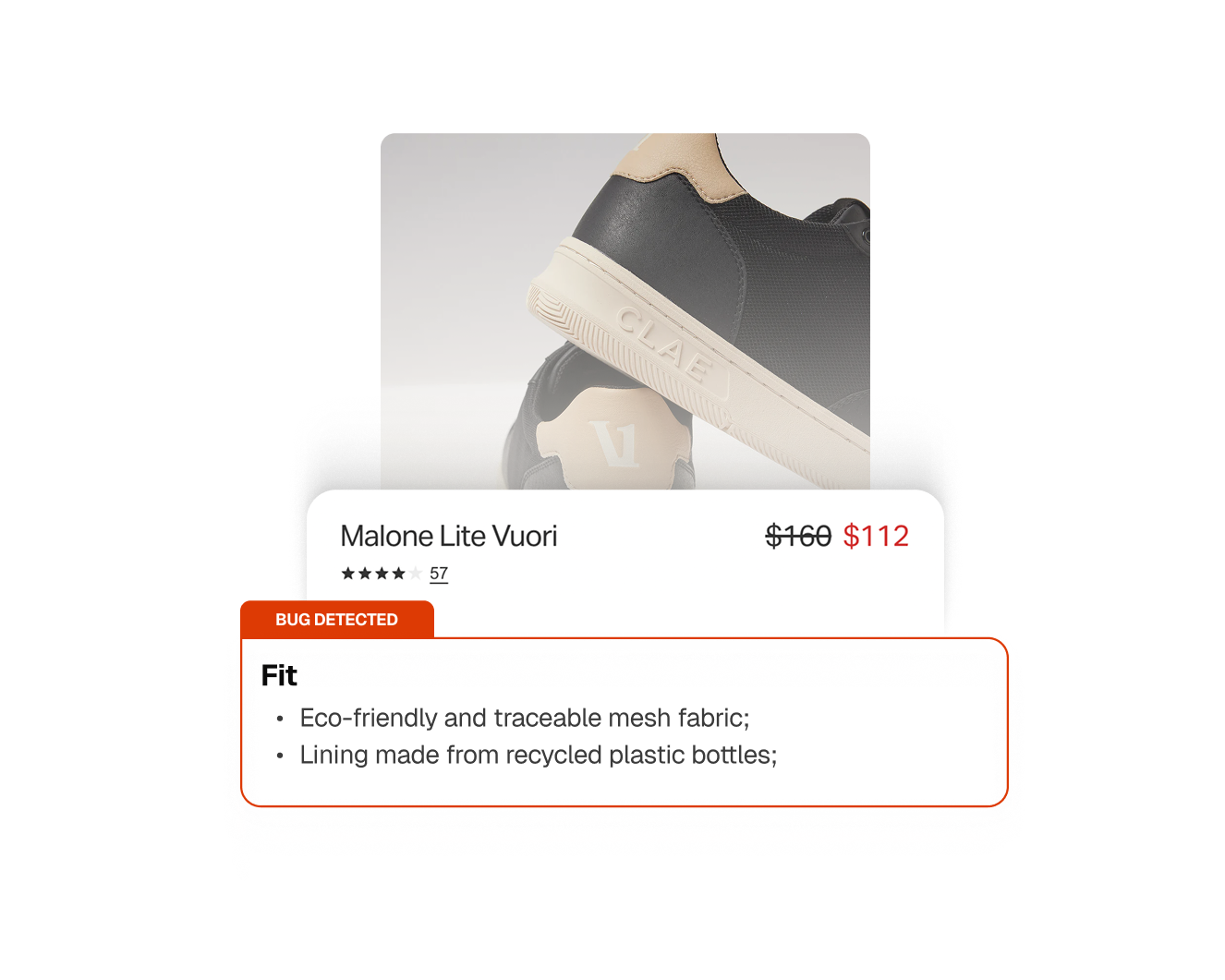
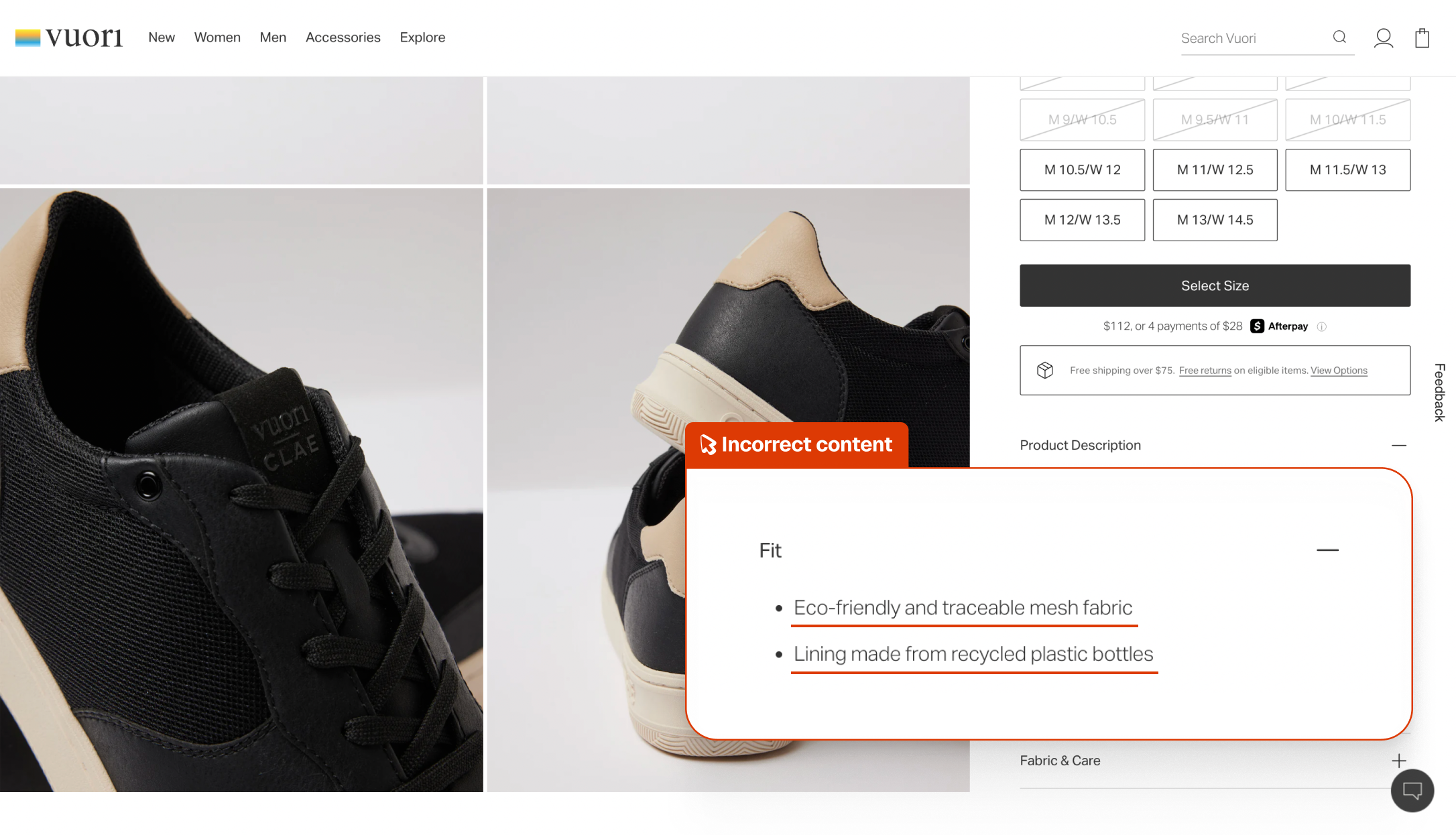
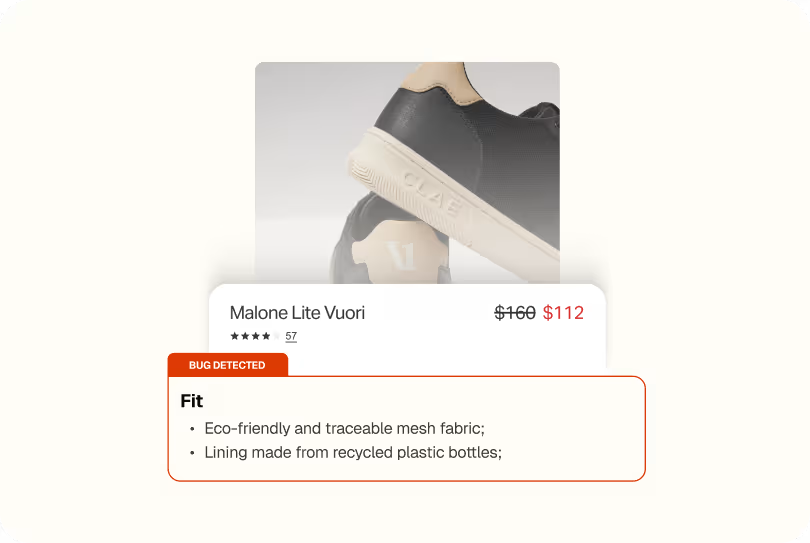
Spur found a "Fit" accordion filled with materials and sustainability info


What this run
has verified.

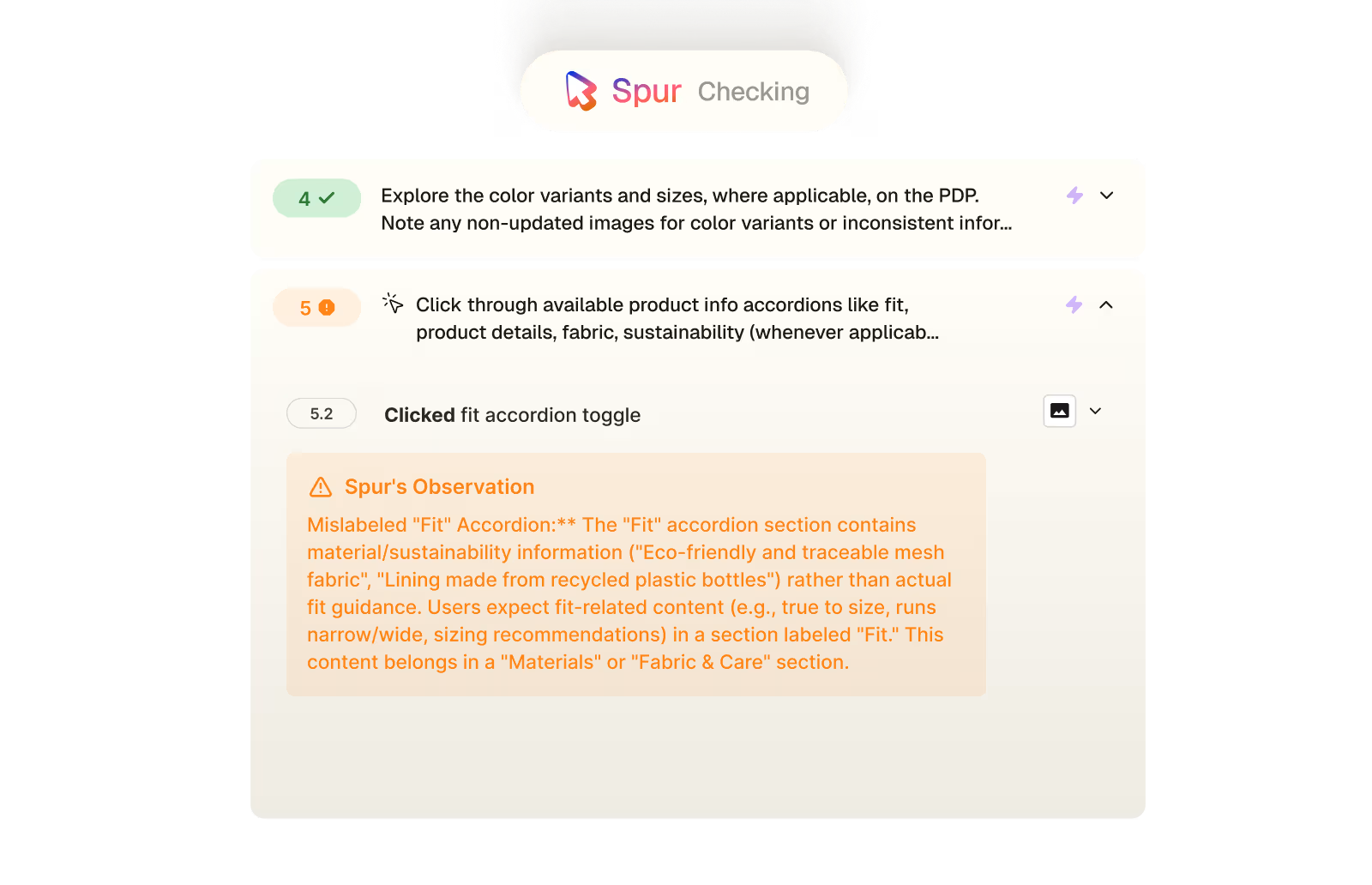
Spur's Exploratory agent worked through the Malone Lite Vuori product page, clicking through every available accordion to verify the content matched the product. When it expanded the "Fit" section, it found materials and sustainability information, not sizing or fit guidance.
Content accuracy
Each product accordion containing information that matches its label.
Fit guidance
The "Fit" section giving shoppers the sizing information they're looking for.
Information architecture
Materials and sustainability content in the right section.
Purchase confidence
Shoppers able to find sizing help before committing to a purchase.
Compare
The customer's live site,

captured by

Spur
during the run.

Mislabeled "Fit" Accordion:** The "Fit" accordion section contains material/sustainability information
What this
one catch saved.
2hrs
Dev time saved
Shipped, this is a content management fix, someone has to identify which accordion the sustainability content belongs in, move it, and add the actual fit guidance that's missing. Small fix, but it requires the right person to notice it first.
Misleading
Checkout information
A shopper who can't find fit guidance might guess their size, order wrong, and return the shoe. The "Fit" label actively points them to the wrong place, making a confident size decision harder than it needs to be.
2hrs
Manual QA time
Catching this manually means clicking through every accordion and reading the content carefully enough to notice that what's inside doesn't match the label, easy to skim past when the accordion opens without error.
The actual test
in

Correct copy missing
A 7-step product page audit on Vuori's site. Spur verified the correct page loaded, checked the price, explored all three color variants, then clicked through every product info accordion. The "Fit" accordion expanded successfully, but revealed sustainability content about eco-friendly mesh and recycled linings rather than anything a shopper would actually use to decide on their size.
Redirect to:https://vuoriclothing.com
Verify the correct page loads for the product [Product_Name:Malone Lite Vuori]
Verify that the price of the product is shown as [Price:$112]
Explore the color variants and sizes, where applicable, on the PDP. Note any non-updated images for color variants or inconsistent information across different sizes and colors of a product as warnings and continue.
The White color variant of "Malone Lite Vuori" is priced at $128 (sale from $160), while the Black variant is priced at $112 (sale from $160). This $16 price difference between color variants of the same product is unusual and may indicate a pricing inconsistency. Both show the same original price of $160 but different sale prices.
Click through available product info accordions like fit, product details, fabric, sustainability (whenever applicable) and check the content matches the product. If there are different fit options, switch them also and check if the product details update correctly.note any inconsistencies, errors or frictions as warnings and continue.
Mislabeled "Fit" Accordion:** The "Fit" accordion section contains material/sustainability information ("Eco-friendly and traceable mesh fabric", "Lining made from recycled plastic bottles") rather than actual fit guidance. Users expect fit-related content (e.g., true to size, runs narrow/wide, sizing recommendations) in a section labeled "Fit." This content belongs in a "Materials" or "Fabric & Care" section.
Scroll to the top and click on the reviews count, scroll further only if needed to arrive at the reviews section. Check that the review counts, average score, and review information is accurate and consistent across the PDP. Note any inconsistencies or wrong information (the reviews are shown on a product level, so don't flag any reviews for a different color variant)
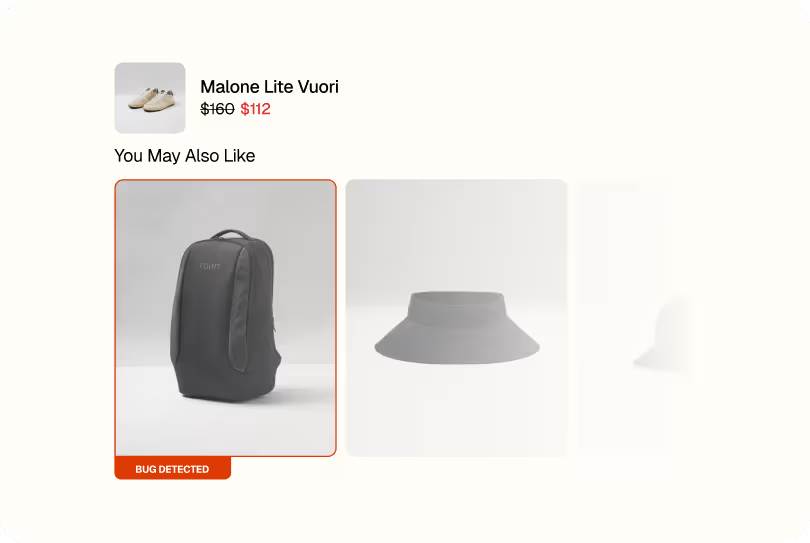
Explore the rest of the PDP (you may also like, about the collection, footer, etc.) continue noting any inconsistencies from the PDP and inaccurate information.

Site Merchandising


Site Merchandising
Checkout Interactions
Accessibility
Payment
.avif)
Checkout
.avif)
.avif)