

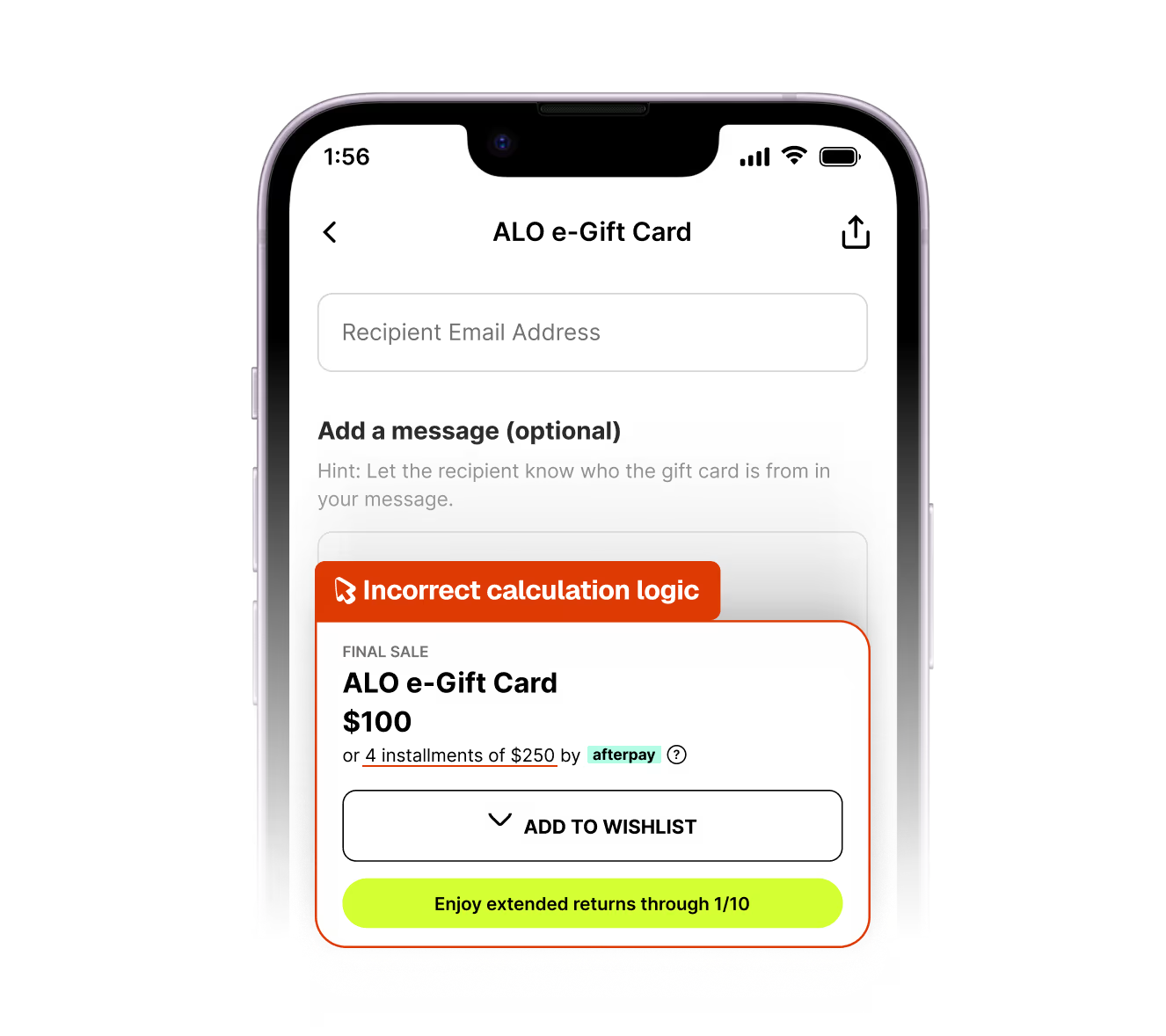
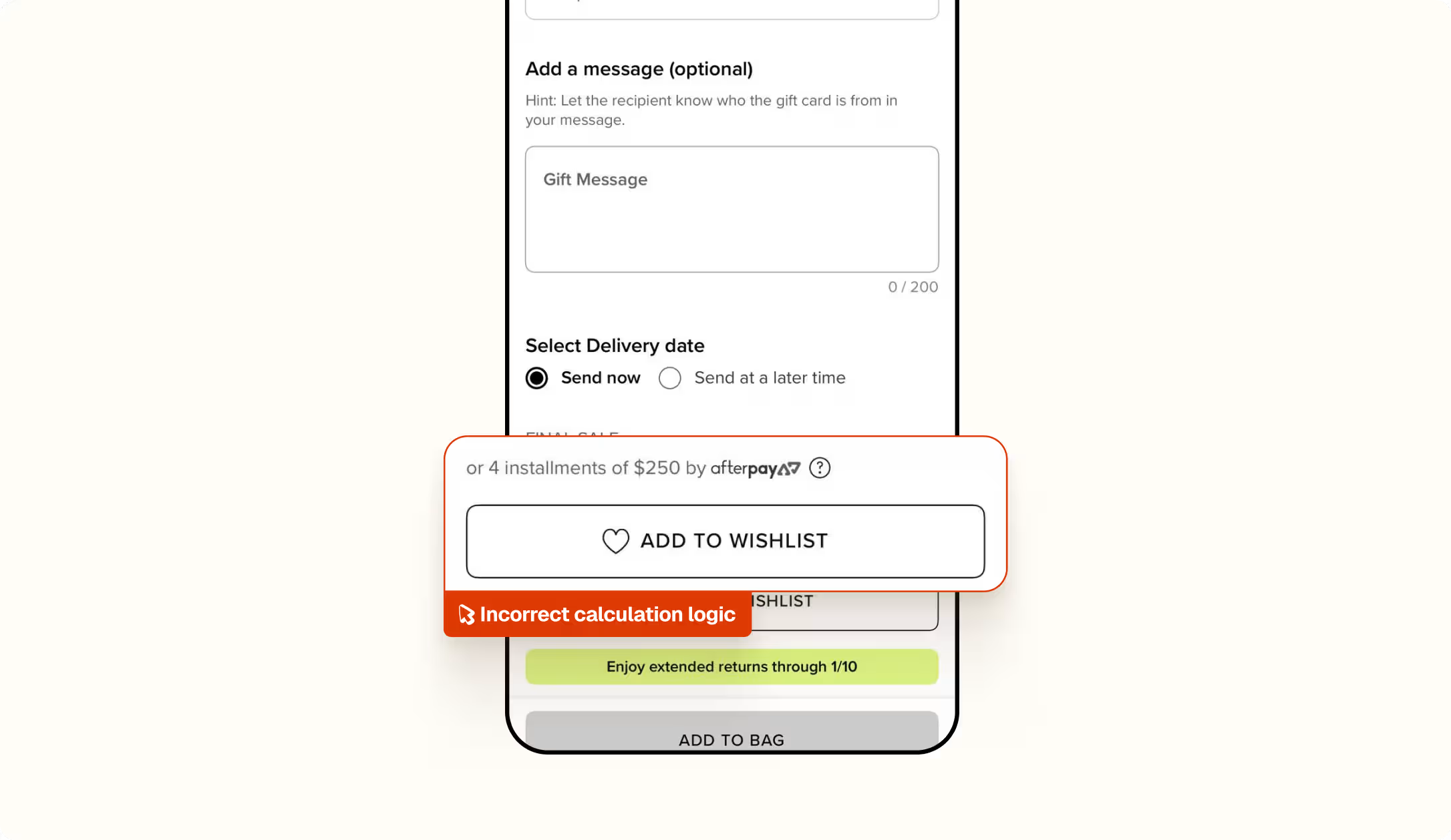
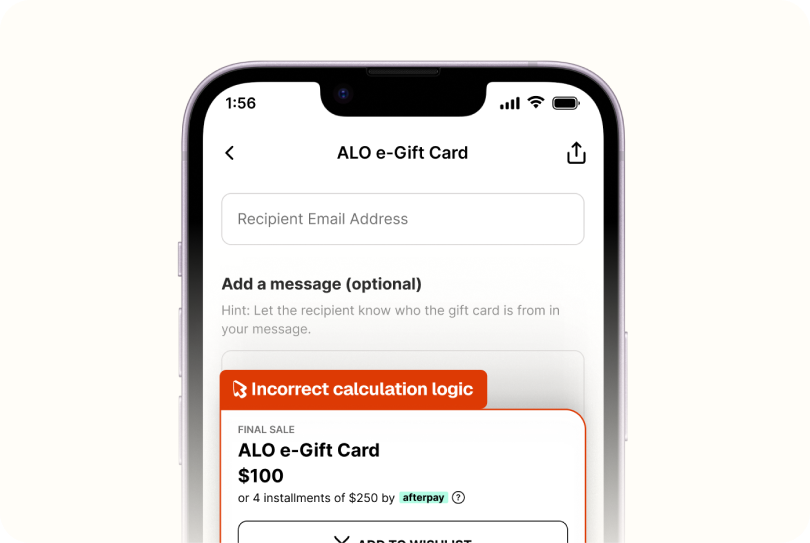
Spur spotted a $100 e-gift card showing Afterpay installments of $250 each instead of $25!


What this run
has verified.

Spur's Functional Testing agent opened the ALO e-Gift Card PDP and selected a $100 amount to confirm the price tracked the choice. It did and the same pass caught the Afterpay line reading $250 per installment, a figure that never recalculated as the amount changed.
Price accuracy
The gift card amount reflected in the headline price on the PDP.
Payment logic
Installment plans that add up to the price the customer is actually paying.
Dynamic pricing
Estimates that recalculate every time the amount changes.
Checkout confidence
Reaching checkout without two different totals on one screen.
Compare
The customer's live site,

captured by

Spur
during the run.

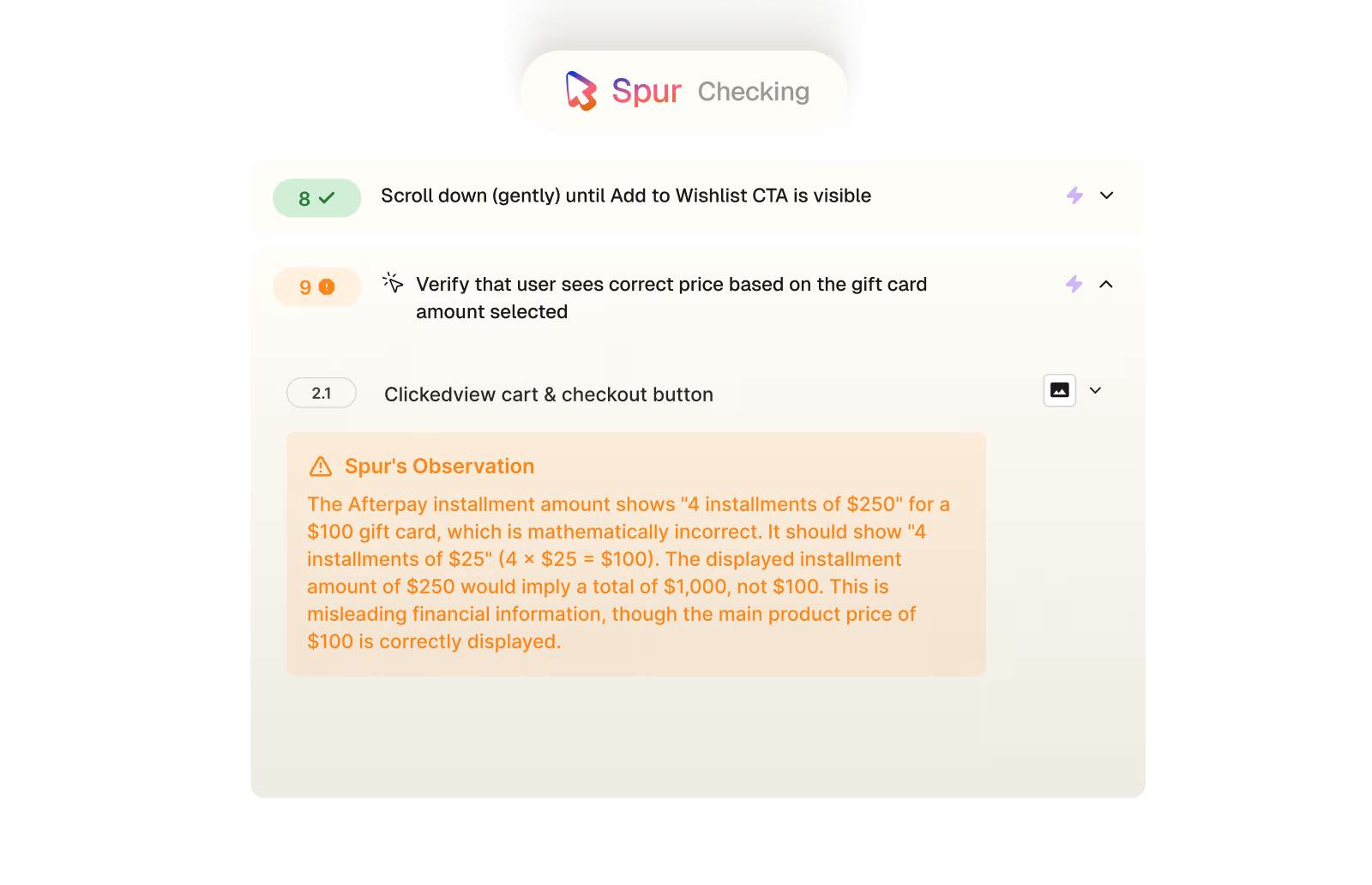
Verify that user sees correct price based on the gift card amount selected
What this
one catch saved.
4hrs
Dev time saved
Shipped, this becomes a payment-display ticket and an engineer tracing why the installment figure is hardcoded to the maximum amount instead of the selection.
Alarming
Buyer confidence
A customer buying a $100 gift card who sees "four payments of $250" has every reason to think they'll be charged $1,000 the kind of number that makes someone check their bank before checkout.
3hrs
Per-amount checks
Catching this by hand means stepping through every gift card amount and doing the Afterpay math on each to notice the figure never moves off $250.
The actual test
in

Calculation bug
A gift card amount validation test on Alo Yoga's iOS app. Spur searched for the ALO e-Gift Card, opened the PDP, and switched between amounts to confirm the price tracked each selection. It did — and along the way it flagged that the Afterpay installment figure stayed pinned at $250 whether the card was $100 or $50, a number that would leave a real customer unsure what they're actually being charged.
Tap "Continue as guest" on Join Now onboarding screen
Switch to Shop tab
Search for e-gift card
Verify PDP loads
Scroll down (gently) until sizes are visible
Tap any gift card amount
Tap any gift card amount
Scroll down (gently) until Add to Wishlist CTA is visible
Verify that user sees correct price based on the gift card amount selected
The Afterpay installment amount shows "4 installments of $250" for a $100 gift card, which is mathematically incorrect. It should show "4 installments of $25" (4 × $25 = $100). The displayed installment amount of $250 would imply a total of $1,000, not $100. This is misleading financial information, though the main product price of $100 is correctly displayed.
Scroll up (gently) until Add to Wishlist CTA is visible
Tap another gift card amount
Scroll down (gently) until price is visible
Verify that user sees correct price based on the gift card amount selected
The Afterpay installment amount displays "$250" for a $50 gift card, which is incorrect. For a $50 gift card, 4 installments should be $12.50 each, not $250. This Afterpay display bug appears consistently regardless of the selected gift card amount.

Accessibility


Payment
.avif)
Checkout
.avif)
UI/UX
.avif)

Pricing
Interactions
Checkout