Spur MCP

Your AI agent.
Now does QA.

Spur MCP lets Cursor, Claude, Copilot, and ChatGPT run, generate, and triage tests right inside your editor. No separate tickets tests just ship with your code.
Book a Live Mobile QA Demo
See the difference
Trusted by the leading brands

From a PR description to a passing test.

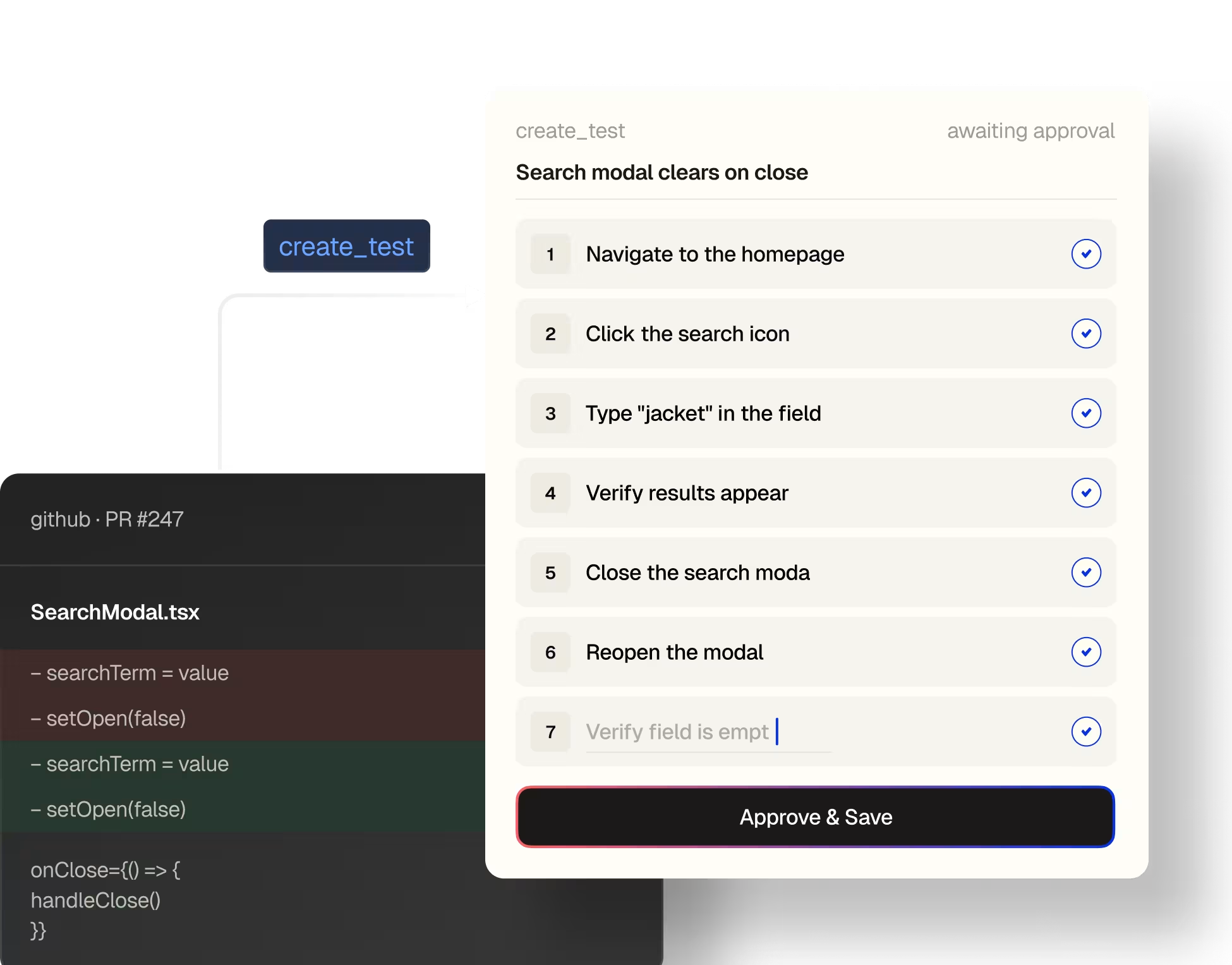
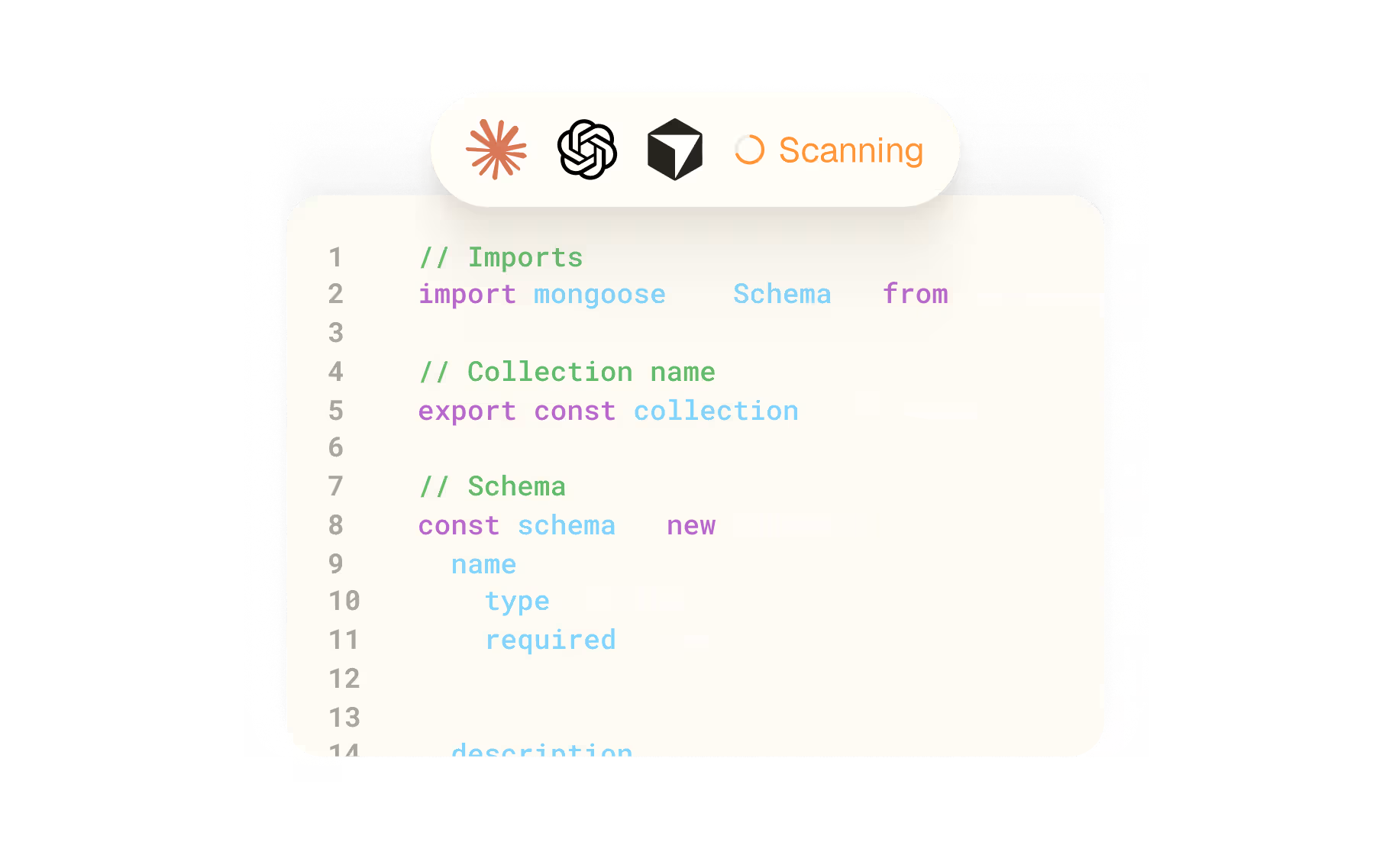
Point Claude Code at a pull request. It reads the diff, walks your codebase, drafts plain-English test steps, and saves them to Spur with create_test all before you've merged.
See the workflow guide

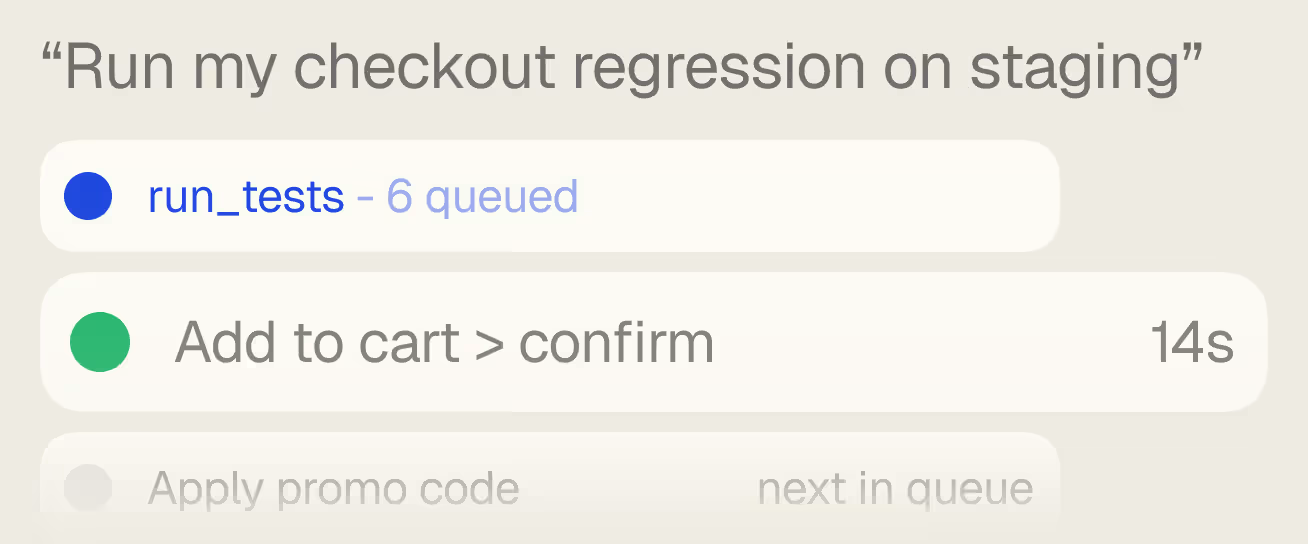
Run regressions from chat.

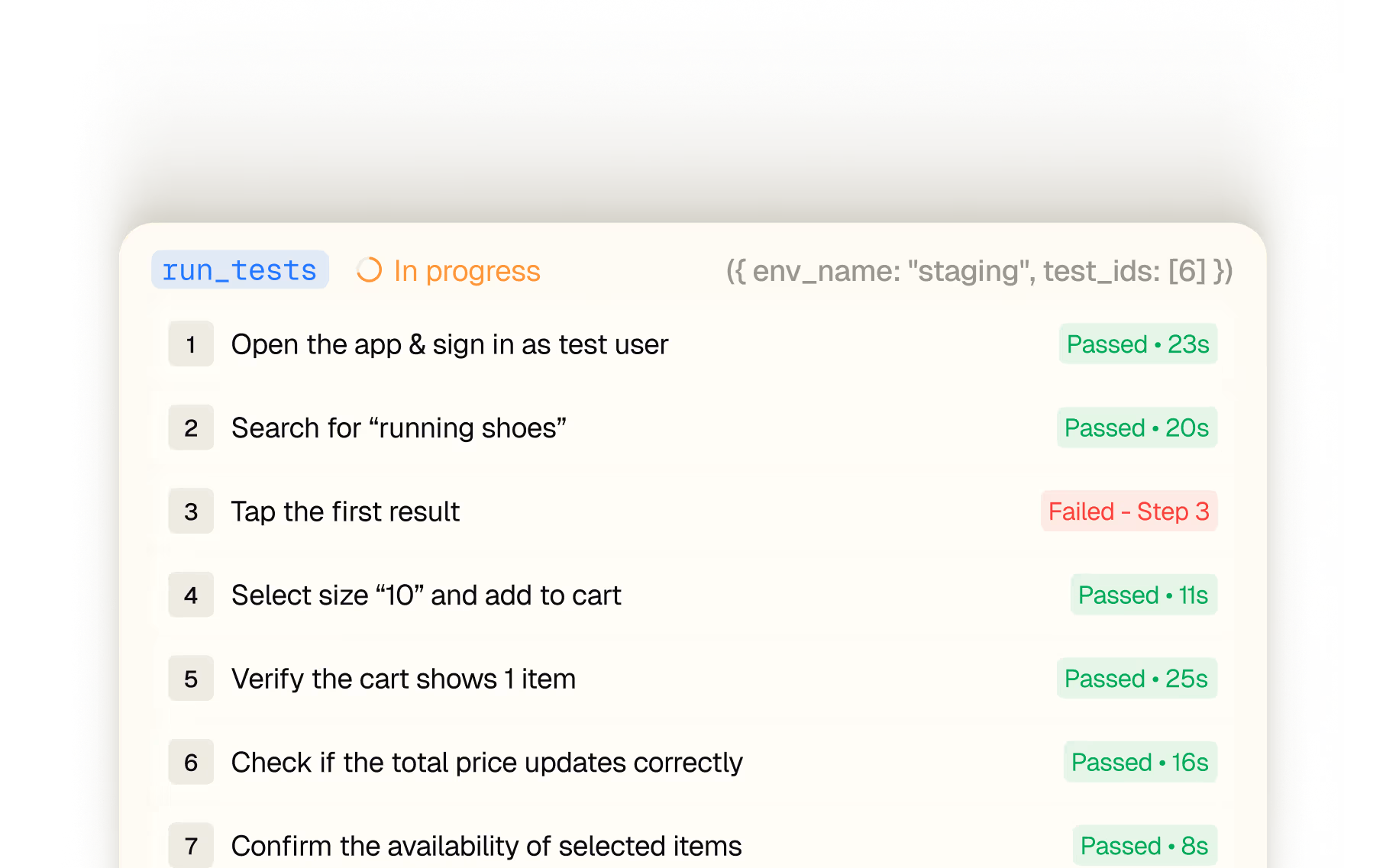
One sentence triggers list_tests and run_tests. The agent picks the env, reports back with timings.

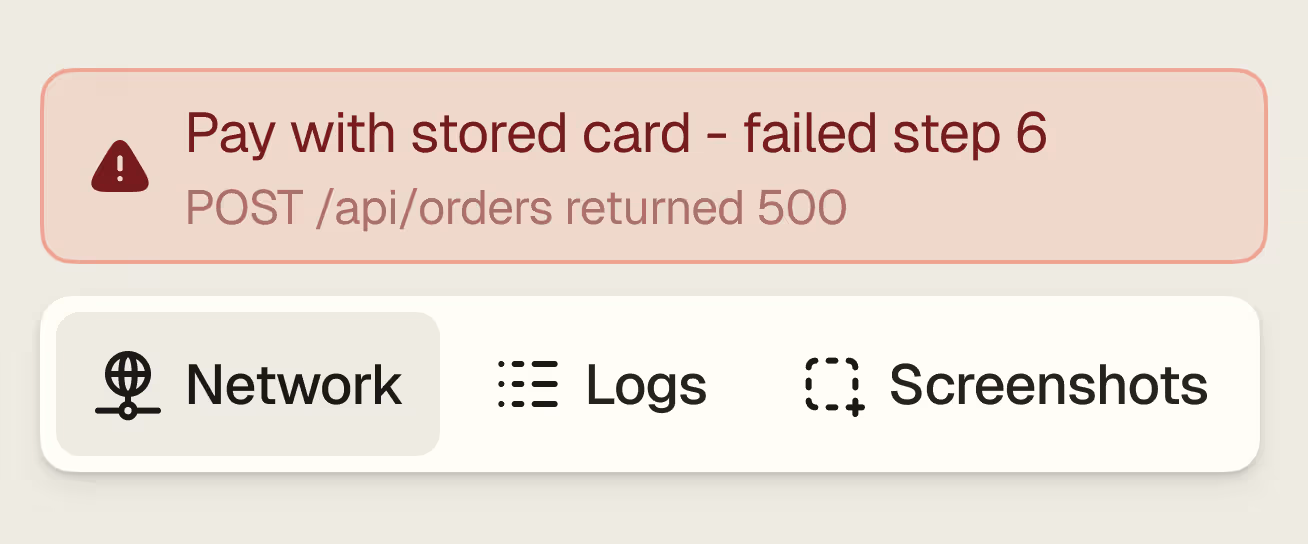
Logs,  network, screenshots.

Every artifact the agent needs to know if it's a test issue or a real bug, one tool call away.

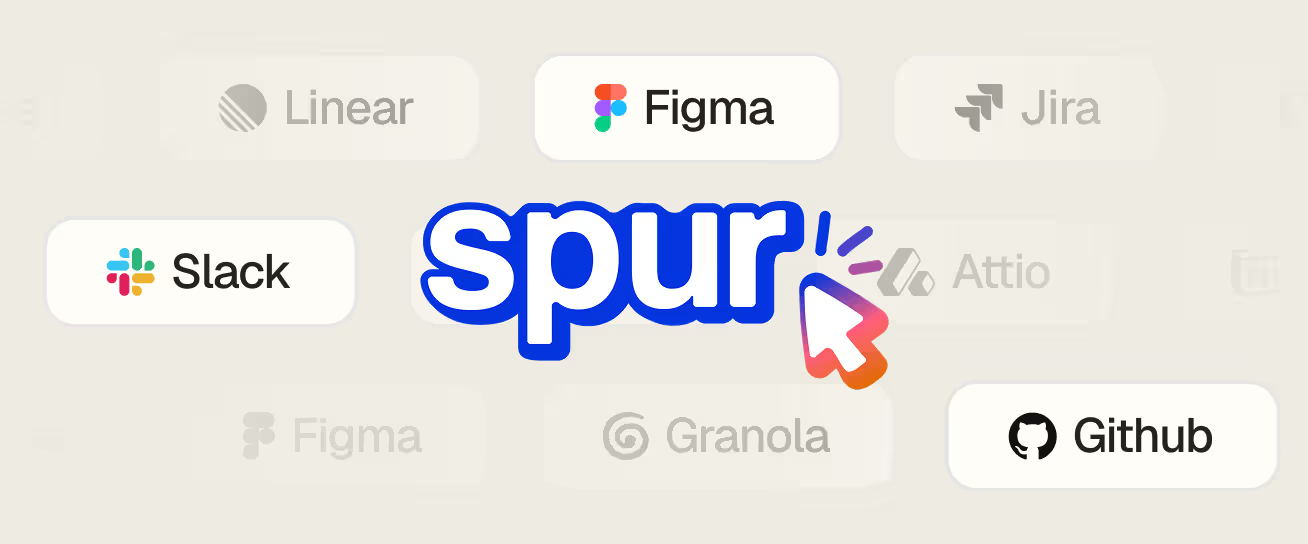
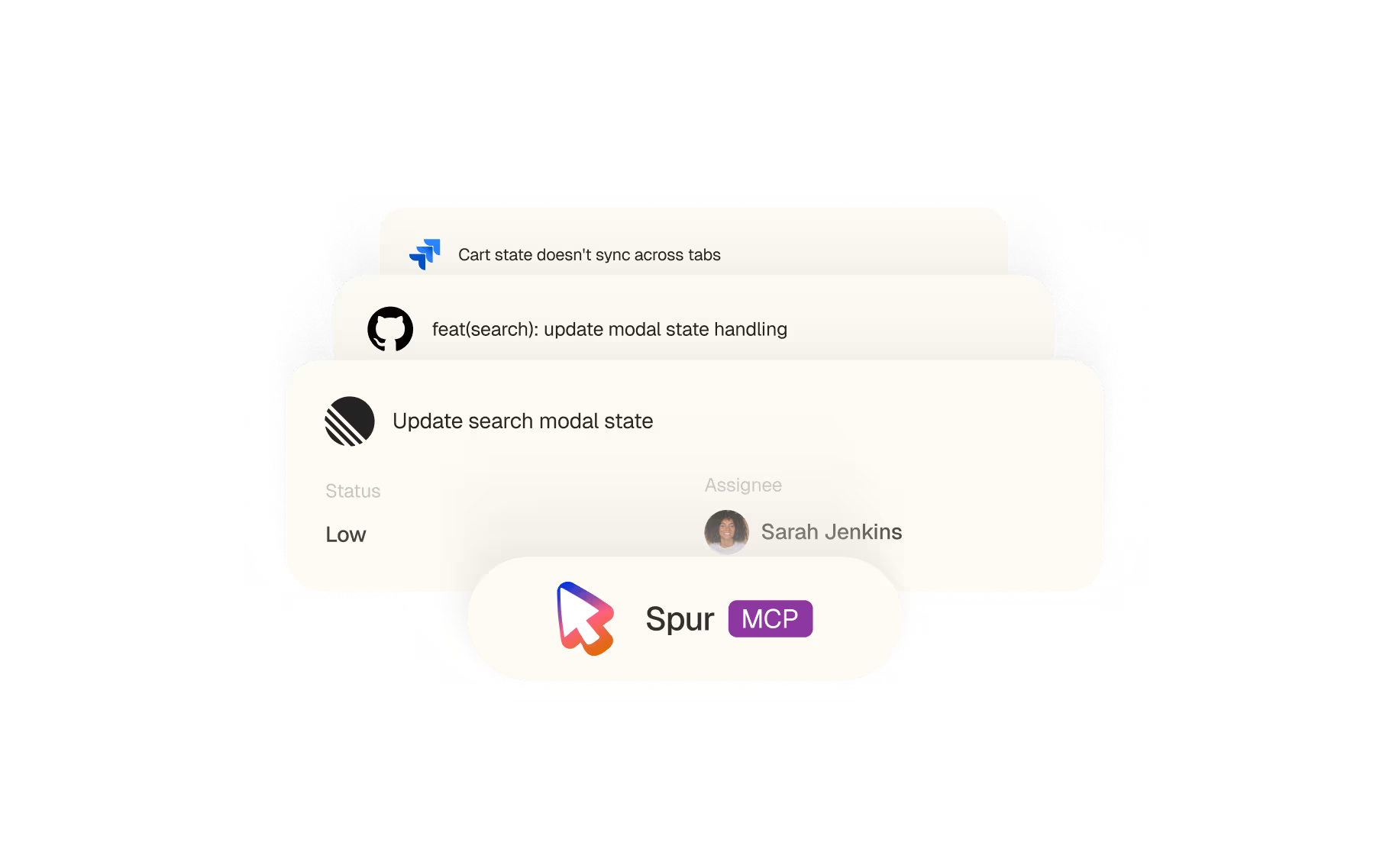
Context from where work lives.

Pair Spur with GitHub, Jira, Linear or Slack. The agent matches changes to the tests that cover them.

Write code.

Ship coverage.

Forget XPaths and accessibility IDs. Spur looks at the screen, the same pixels your customer sees, and figures out where to tap, what to type, and what to verify. The result: tests that work on any platform, any layout, any device.
01

A PR, a ticket, a commit.

Point Claude at whatever you're working on. GitHub, Jira, Linear any source of "what changed".
02

The whole codebase.
Not just the diff.

Claude walks the surrounding files, the related state, and your existing coverage. It surfaces the primary flow, the edge cases, and the related areas a diff alone would miss.
03

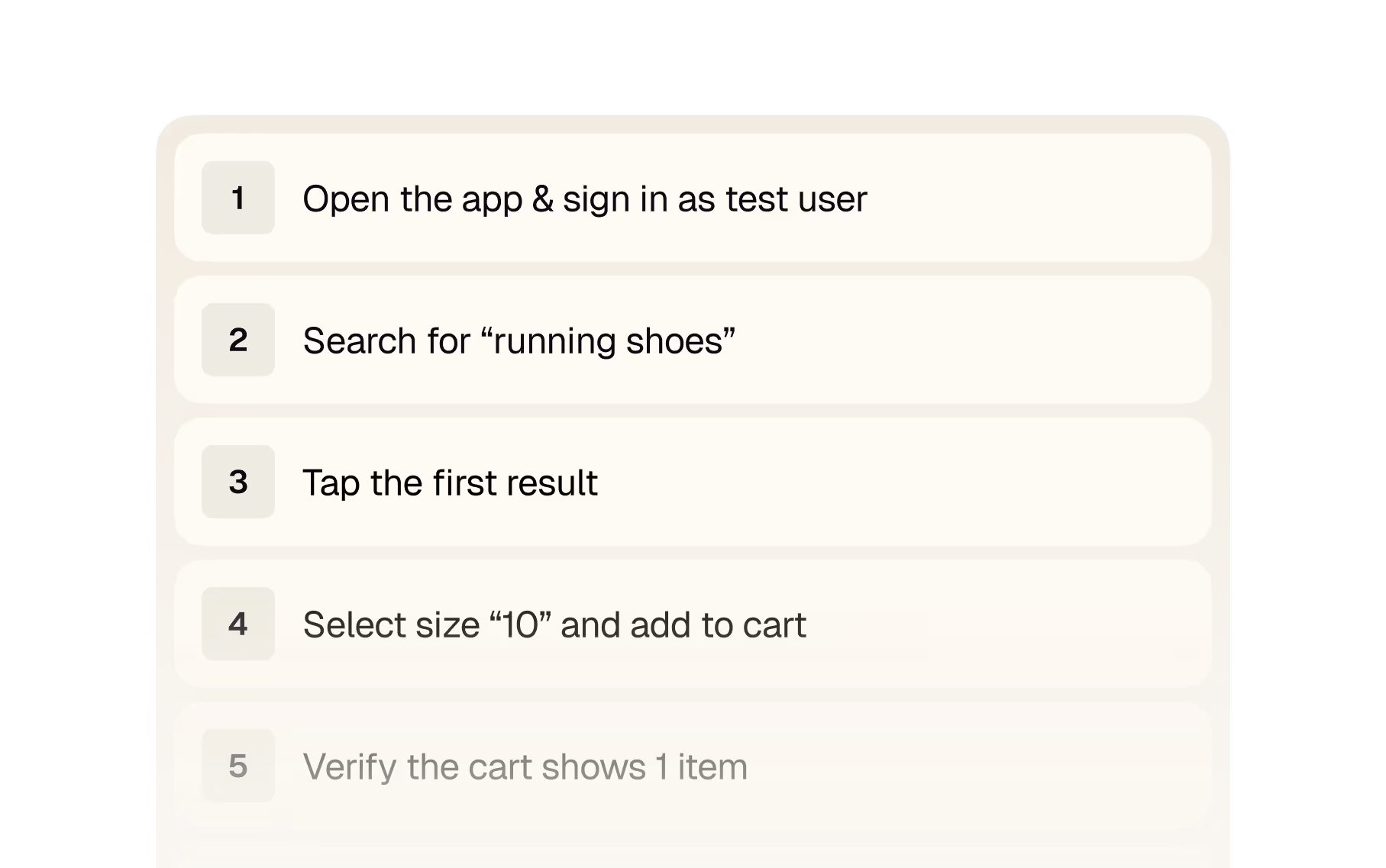
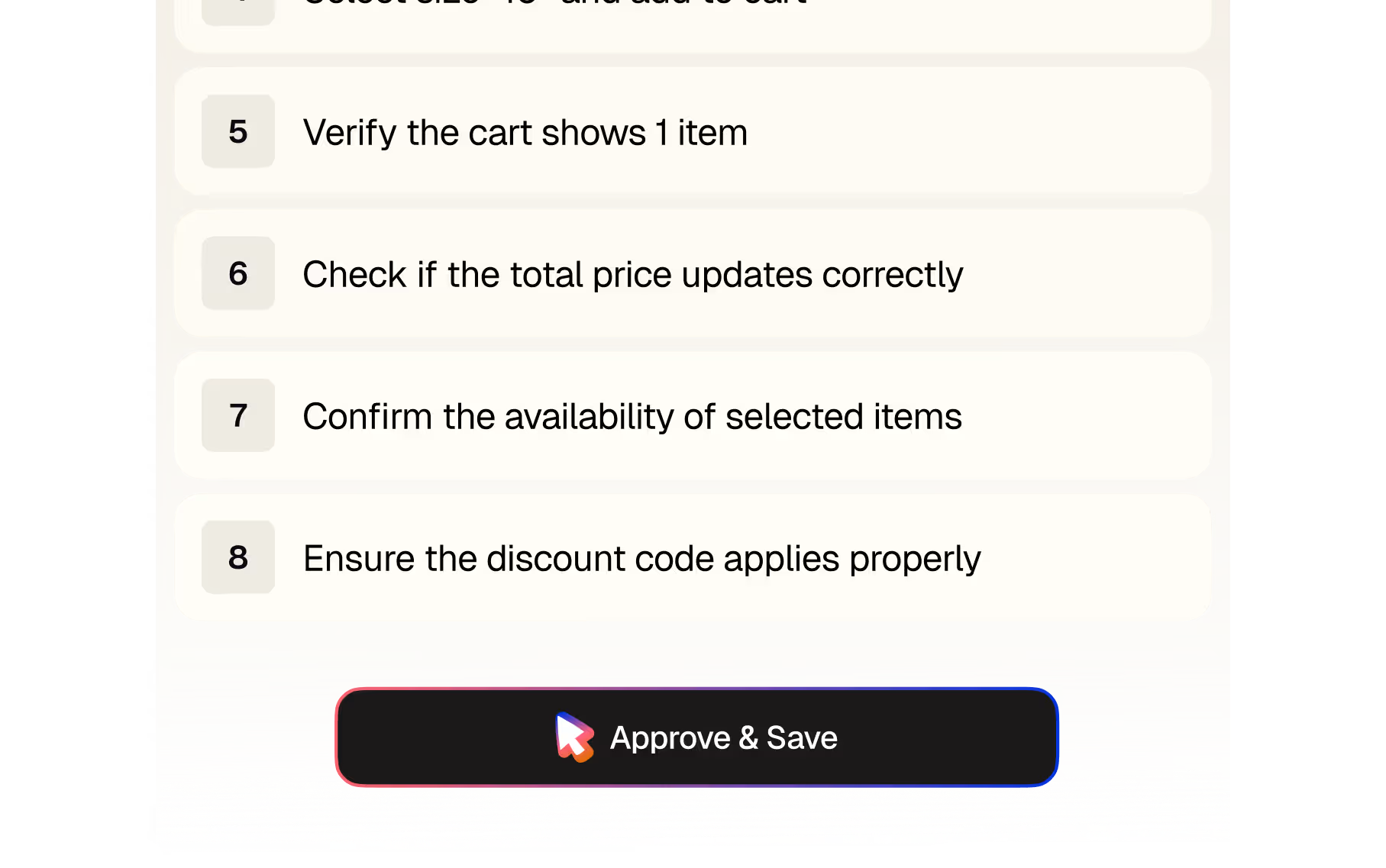
Plain-English steps.

The output is human-readable. You can edit a word; you don't have to debug a selector.
04

Saved to Spur, with approval.

Anything that writes asks first. Read-only calls auto-approve so the loop stays fast.
05

Runs in seconds.

Run testson the same machine that wrote the code. Real browsers, real devices.
06

Iterate

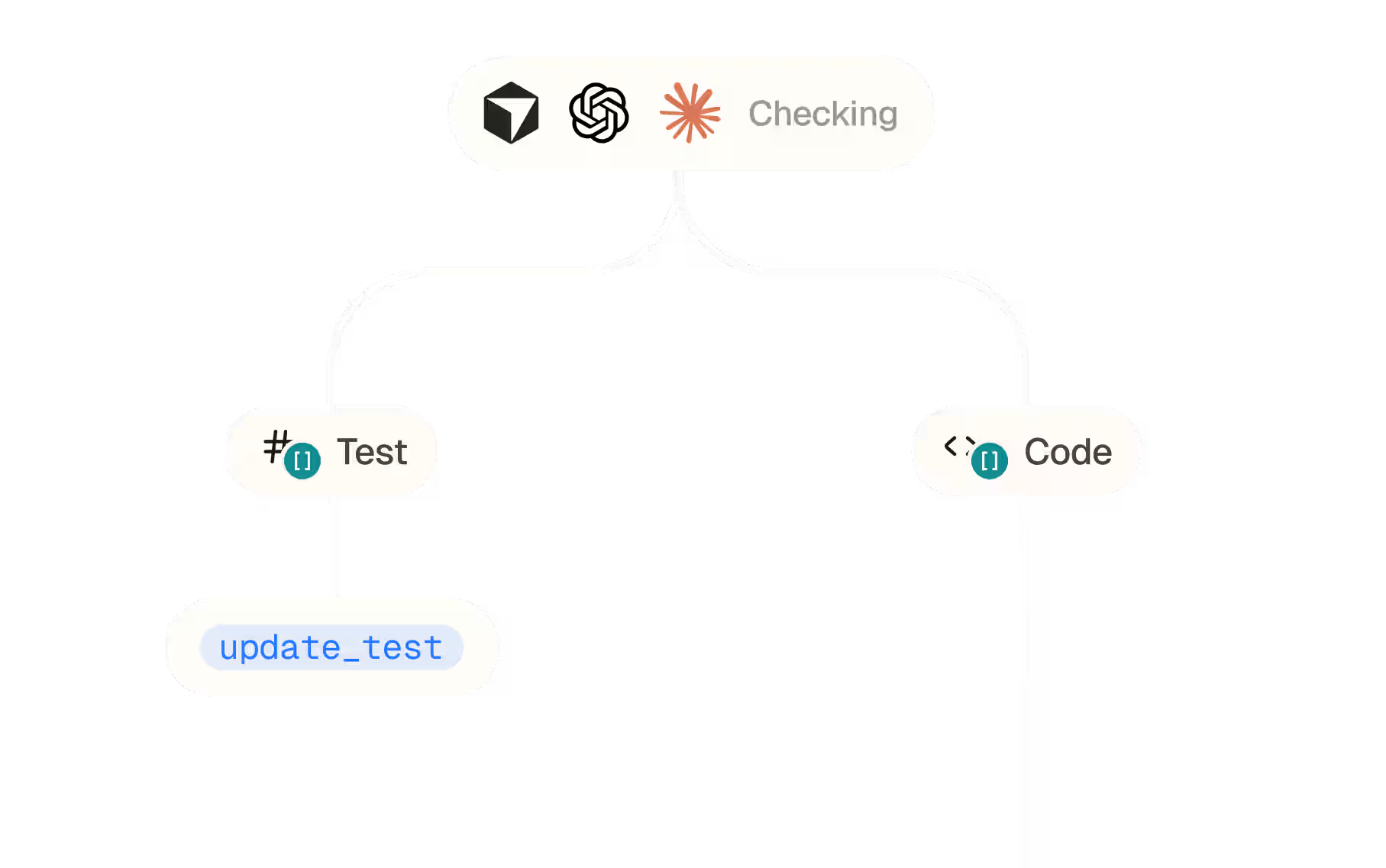
If it's the test, Claude calls[update_test]. If it's the code, it routes you back to the file.

Read your own

test coverage.

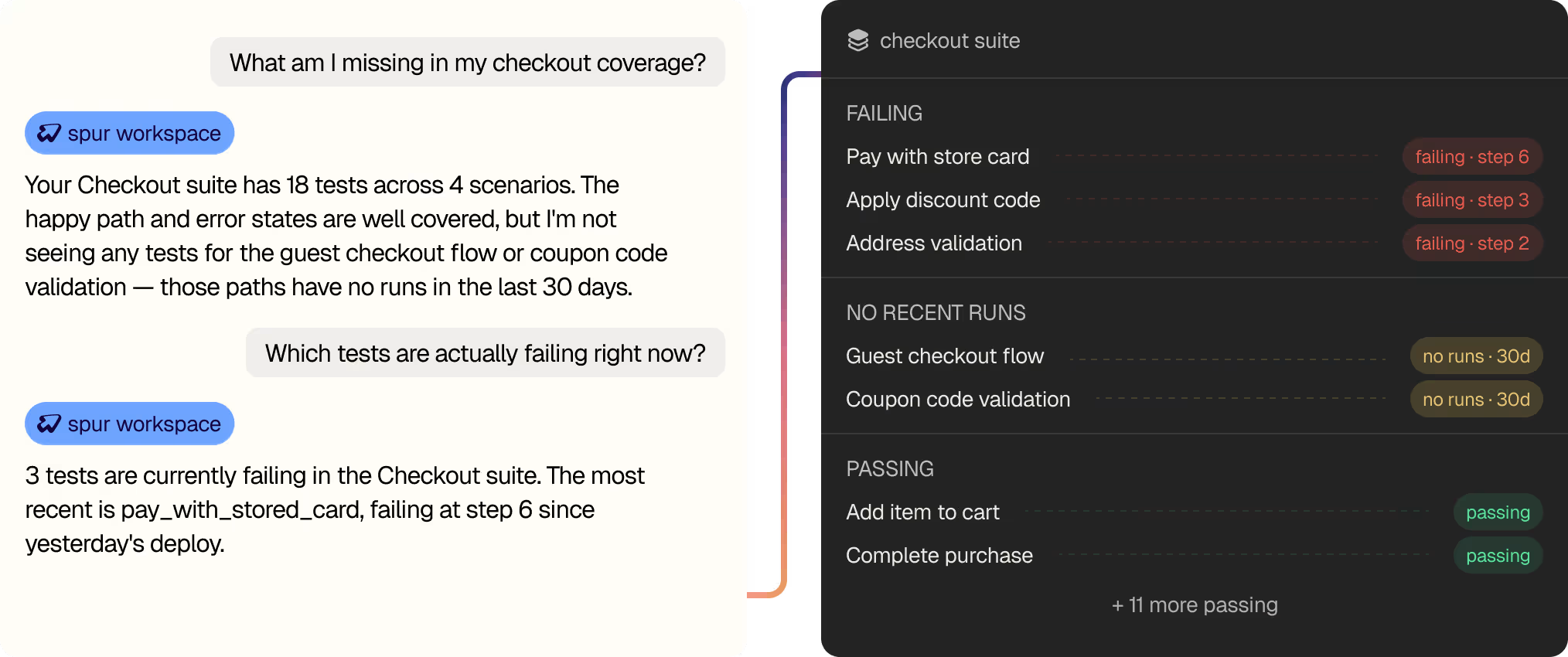
The MCP exposes your full Spur workspace as read-only tools suites, tests, scenarios, run history. Ask in plain English, get answers backed by what's actually in your suite.

Two minutes.

One  JSON file.

The Spur MCP works in any client that speaks MCP. OAuth runs on first connect no API keys to paste, no separate dashboard to learn.
~/.cursor/mcp.json

{
     "mcpServers": {
          "spur": {
               "url": "https://mcp.spurtest.com/sse",
               "transport": "sse"
          }
     }
}   // OAuth opens on first run · scoped to your workspace

~/.claude/claude_code_config.json

{
     "mcpServers": {
          "spur": {
               "url": "https://mcp.spurtest.com/sse",
               "transport": "sse"
          }
     }
}   // OAuth opens on first run · scoped to your workspace

~/.claude/claude_desktop_config.json

{
     "mcpServers": {
          "spur": {
               "url": "https://mcp.spurtest.com/sse",
          }
     }
}   // OAuth opens on first run · scoped to your workspace

{
      "name": "spur",
      "url": "https://mcp.spurtest.com/sse",
}   // Add via Settings → Connectors · OAuth on connect

~/.copilot/.vscode/mcp.json

{
     "ervers": {
          "spur": {

               "type": "http",
               "url": "https://mcp.spurtest.com/sse",
          }
     }
}   // OAuth opens on first run · scoped to your workspace

Cursor
Claude Code
Claude Desktop
ChatGPT
VS Code - Copilot

Numbers from

teams running it.

Teams already shipping with Spur MCP cutting QA time, raising release cadence, and catching what manual review wouldn't.

20×

This is some text inside of a div block.
"Spur has significantly improved Wander's testing capabilities. It has allowed us to iterate and ship so much faster with confidence."

Aron Paul

Engineering Lead

95%

Manual QA reduction
"Last year my confidence going into Black Friday was a five out of ten. This year it's a ten out of ten."

Alanah Anderson

Product Manager

0hrs

Regression time
"Spur changed how we work  and how we feel about releases. What used to be stressful, all-day regressions are now automated checks."

Sarah Balk

Product Manager

Testimonials

Spur is our first big win company-wide in terms of implementing the use of AI agents. When we were able to share this with our greater team, everybody was almost in awe of what we were able to achieve.

Chloe Lu

Manager, E-commerce Quality Assurance, Living Spaces

“It made people’s jobs easier. No one was let go, and it created space to work on more interesting problems.”

Katherine Maddox

Director of Quality Engineering, Wondr Health

“The more you use Spur, the smarter it gets. The smarter it gets, the faster you can write tests and find bugs.”

Solomon Ademuwagun

QA Manager, UncommonGoods

Spur is always right. We used to spend hours testing stuff manually. Now we just run Spur and never test ourselves.

Thomas Bueler-Faudree

Co-founder, August

"After 15 years in QA, I’ve never ramped up faster. Spur’s AI gives detailed feedback that makes dev handoff easy — and their support eliminated the pain of UI automation. I’d pick Spur over any other framework, hands down"

Theodore Schachter

QA Engineer, Studeo

“Before Spur, we relied on Alona to manually spot check our widgets store by store. We knew that was not going to scale as we added more brands.”

Janvi Shah

Co-Founder & CEO, Hue

"From minute one we had the feeling that the tools and the agents Spur was leveraging were more advanced. With the demos, you were just writing test steps live and they were actually working."

Sebastian Villanueva

QA Engineer, OurPlace

"It is definitely one of the most useful things we have had, not just for QA but for our company in general. I would just suggest other fintech teams try it out. It would give you more security that your actual money and your actual processes and flows are being covered very comprehensively."

Denise Anne Gamboa

Product & Project Manager, OneSafe

Spur has significantly improved Wander’s testing capabilities. It has allowed us to iterate & ship so much faster with confidence!

Nathan Potter

CTO, Wander.com

FAQ

Did we miss a question?
Email us directly

Getting Started
What does it take to set up Spur for my mobile app?

Upload your iOS (.ipa or .app.zip) and Android (.apk) builds to Spur. That's it. No SDKs, test IDs, or instrumentation required. Spur tests your app as a finished build, the same way a real user would. You can start writing tests in plain English within minutes.

Do you need access to our source code?

No. Spur tests your app as a black box, uploading your compiled binaries is all you need. Nothing to wire into your repository, and zero access to your codebase required.

How long does it take to write a test in Spur?

Tests are written in plain English describing user intent ("add a product to cart"). Most teams write their first test in under 5 minutes. No selectors, no per-platform scripts, no syntax to learn. If you can describe what a user does, you can write a test.

What platforms and OS versions do you support?

iOS: iPhone 15, 16, 17 families; iPhone SE; iPad Pro, Air, and mini. Android: Pixel 4a, 4 XL, 5, 6, 7, 8 Pro. Tests run on the latest stable OS versions plus the prior major version. Need a specific older OS? We can add it, just ask.

Devices and Coverage
Do tests run on real devices or simulators?

Tests run on cloud-hosted iOS Simulators and Android Emulators. iOS builds must be Simulator builds. This keeps runs consistent, repeatable, and easy to scale, no physical device lab to maintain.

Can I run the same test on iOS and Android without rewriting it?

Yes. One test, every device, every OS. Write once in plain English, and Spur automatically adapts to handle platform-specific gestures, layouts, and interactions. You get comprehensive coverage with half the suite.

Do you support tablets, or just phones?

We support iPad Pro, Air, and mini on iOS. For Android, we focus on phones, but tablet support is coming soon.

How many tests can run in parallel?

Tests scale easily across your cloud device fleet. iOS and Android run independently, so you can parallelize within each platform. Most teams run hundreds of tests overnight without hitting any concurrency limits.

Workflow and Security
How does Spur fit into our CI/CD pipeline?

Spur integrates with GitHub Actions (native), GitLab CI/CD (native), and any other provider (Jenkins, CircleCI, etc.) via webhook. Tests run on every pull or merge request and can block merges when something breaks. Results are available within 5–15 minutes depending on suite size.

Can tests run in parallel, and do they scale?

Yes. Tests run in parallel with separate concurrency queues for iOS and Android. Most teams parallelize across device types and OS versions, so a 200-test suite can finish in 20 minutes instead of hours.

How secure is our app data during testing?

Spur follows industry-standard security practices: end-to-end encryption for build uploads, compliance with SOC 2 Type II, and no data storage between test runs. Your app builds and test results are isolated per workspace and never shared. Check our Security Protocol for full details.

Can Spur test behind a VPN or on staging environments?

Yes. Spur's device cloud can connect to private VPNs, and you can test against staging, pre-prod, or production environments. Configure your network at the workspace level.

Native Flows
Can it handle gestures like swipe, long-press, and pinch?

Yes. Spur natively supports tap, swipe, long-press, pinch-to-zoom, drag-and-drop, and more. These are real device gestures, not simulated clicks, they work the way your customers actually interact with your app.

How does it handle pop-ups, banners, and permission prompts?

Spur's agent manages these in-the-moment. If a permission prompt appears mid-flow, the agent handles it (grant or deny) based on your test intent. Same with consent banners, interstitials, and system dialogs. The flow continues naturally without test breakage.

Can Spur handle deep links, URI schemes, and app-to-app navigation?

Yes. You can open specific screens via deep links (for example, yourapp://products/12345). This is useful for jumping straight to a screen under test and for confirming your app handles incoming links correctly. Spur can also switch between apps mid-test if your flow crosses app boundaries.

What about transitions between screens, loading states, and animations?

Spur waits intelligently for screens and elements to appear, you don't have to hardcode delays. You can say "scroll until the checkout button appears" and the agent handles timing. If an element takes time to load due to a network call, Spur waits without guessing at sleep times.

Can it test payment flows, authentication, or sensitive data?

Yes. You can make API calls within tests to set up state (log in a user, add payment method, etc.) and then run your user flow from there. Or test the full authentication flow end-to-end. Network logs and API traffic are captured and available for debugging.

How does it handle app crashes or unexpected behavior?

When a test fails, Spur captures a step-by-step visual replay: a screenshot of each screen next to the action taken, so you see exactly where and why the test diverged. If your app crashes, console logs are captured and flagged. You get full evidence, not a generic "test failed" message.

Reliability and Maintenance
When our UI changes, will our tests break?

Because tests describe user intent rather than pointing at specific elements, a layout change usually won't break them. If a redesign happens but the user flow stays the same, tests continue to pass. Tests are designed to fail when the user story or behavior actually changes, not when the code underneath does.

Who maintains the tests, and how often do we need to update them?

Your team owns the tests and can edit them in plain English with no scripting required. Most changes are one-liners. If you add a new step to a flow, you add a sentence. If you remove a screen, you remove a step. No brittle selectors to hunt down and replace.

How do I know if a failure is a real bug or a flaky test?

Every run produces a step-by-step visual replay showing each screen and the action the agent took, so you see exactly where the divergence happened. Console and network logs are captured too. That evidence is usually enough to confirm whether it's a product issue or a test that needs a small adjustment.

What's the difference between an intent-based test and a traditional script?

Intent-based tests describe what a user wants to accomplish ("verify the coupon applies correctly") rather than how to do it. Spur figures out the steps and adapts when the layout changes. Traditional scripts are brittle, they break if you move a button. Intent-based tests stay stable through redesigns and device variations.

How does Spur handle feature flags, A/B tests, and configuration changes?

You can run tests against different feature flag combinations or A/B variants. Make API calls in test setup to toggle flags or configure the app state, then run your flow. This lets you validate new features before rollout and catch flag-related bugs.

What happens if my test needs to wait for a backend service or external API?

You can write direct API calls into your test setup to verify backends and link UI with services. Or use Spur's network-log agent, which monitors API traffic during tests and flags failures like timeouts or 5xx errors. This gives you visibility into the full stack, not just the UI.

Performance and Costs
How much does mobile QA testing with Spur cost?

Pricing is based on test runs and concurrent device slots. Most teams start small (a few tests, a few runs per week) and scale up. We offer volume discounts and tiered pricing. Calculate your ROI and pricing based on your test volume and release cadence.

What's the typical ROI for a mobile QA automation investment?

Most e-commerce and fintech teams see ROI within 3–6 months through faster releases, fewer production bugs, and reduced manual QA overhead. You're cutting release cycles from weekly to daily while improving quality. Check our ROI Calculator and Buyers Guide for industry benchmarks.

Is it cheaper than hiring more QA engineers?

Spur doesn't replace QA engineers, it frees them from repetitive manual testing so they can focus on exploratory testing, edge cases, and strategic quality work. Most teams use Spur to scale their existing team without proportional headcount growth.

Advanced Testing
Can Spur test localization and multi-language support?

Yes. Our Localization Agent tests your app in multiple languages and locales, catching bugs like text overflow, unsupported characters, RTL issues, and missing translations in a single run.

Can it test accessibility (a11y) and screen reader compatibility?

Spur identifies all UI elements visually, similar to how screen readers work. We're actively expanding a11y-specific testing, reach out if this is a priority for your team.

How does Spur handle real-time features (notifications, live feeds, websockets)?

Spur can wait for in-app notifications and interact with them (for example, tap a push notification to open a screen). For live feeds, you can validate that new content appears by scrolling and checking for expected elements. WebSocket-driven features are supported; Spur waits for updates the same way a user would.

Can I test dark mode, different device sizes, and orientation changes?

Yes. Run the same test across different device sizes (iPhone SE vs. iPhone 17 Pro) to catch responsive design issues. Rotation and dark mode testing are on the roadmap, let us know if these are critical for your app.

Getting Help
What support do we get, and how fast do we hear back?

Spur includes email support for all plans, with response times typically under 24 hours. Enterprise customers get dedicated support, weekly check-ins, and a Slack channel. Our Bug Book and guides cover common scenarios.

Can we schedule a live walkthrough or pilot?

Absolutely. Book a demo to see Spur in action on your app and build your first test together. Most pilots take 2–4 weeks, you upload your build, we help you author tests, and you see the results firsthand.

Where can I see examples of tests Spur has written?

Check our Bug Book for real bugs we've caught in production apps (Alo, Eight Sleep, UncommonGoods, etc.). Each entry shows the test intent, what it caught, and how it failed, giving you a sense of what Spur can do.

How often does Spur update, and will new OS versions break my tests?

Spur releases updates quarterly and regularly adds support for new iOS and Android versions before they're widely adopted. Tests are resilient to OS updates because they don't rely on selectors or internal APIs. When Apple or Google releases a new iOS or Android version, tests usually run unchanged.

Questions We Get (But Shouldn't Worry About)
Will adding Spur slow down our releases?

No. Spur integrates into your CI/CD and tests run in parallel, so you get faster feedback without longer pipelines. Most teams see 20–30% faster release cycles once fully ramped.

What if our team is skeptical about AI-driven testing?

Most concerns evaporate after the first live demo. Seeing Spur read your UI, make decisions, and catch real bugs in real time changes minds. We offer free pilots so your team can try it risk-free.

Is this the same as UI automation tools I've used before?

No. Traditional tools require brittle selectors that break with every redesign. Spur uses vision and intent, so tests stay stable through changes. It's more like hiring a QA engineer who reads the screen and adapts, not programming a robot to find coordinates.

Stop leaving your
editor to run QA.

Connect Spur MCP to your AI assistant
to generate, run, and triage tests.
Button Text